SOC 2 —
SOC 2 Continuous Monitoring: Stop Audit Findings Early
SOC 2 continuous monitoring uses real-time alerts, MTTD metrics, and automated evidence to prevent audit findings and ensure continuous compliance.
Jon Ozdoruk
Getting Started with SOC 2
Share this article


You've spent months preparing for your SOC 2 Type II audit. Your policies are documented. Your evidence is collected. And then your auditor flags a finding: a single employee's access to a critical system was never revoked after they left the company, three months ago.
That finding could have been caught in under 24 hours with real-time SOC 2 compliance monitoring. Instead, it becomes a qualified opinion, a remediation plan, and months of lost trust with enterprise prospects. Learn more about common SOC 2 audit findings and how to prevent them.
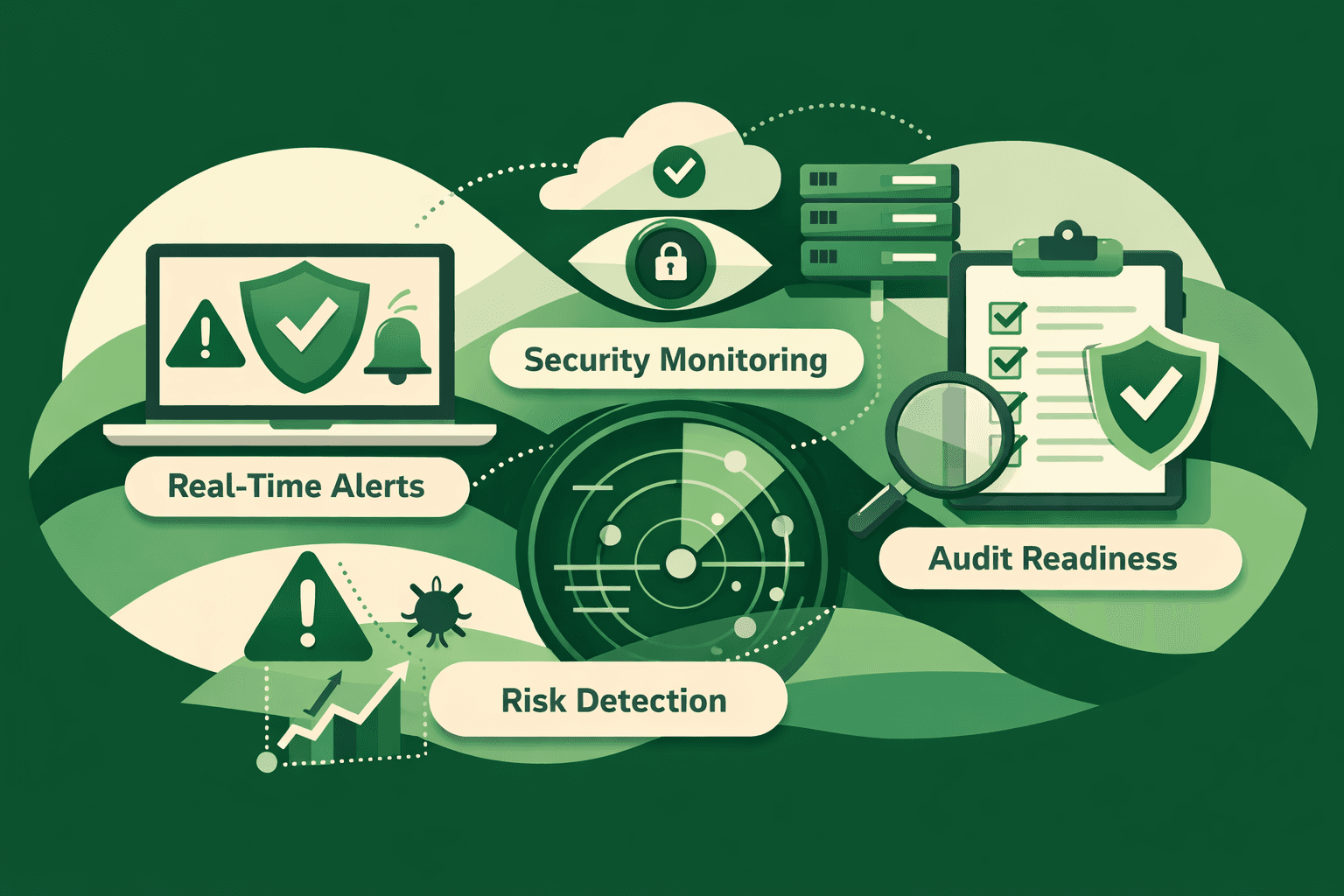
This is the central promise of continuous monitoring for SOC 2: catching control failures the moment they happen, not when an auditor finds them six months later. In this guide, we'll walk through exactly how real-time alerts map to the SOC 2 Trust Services Criteria (TSC), what metrics matter (MTTD, open risk counts, control drift rate), and how modern SOC 2 automation software turns continuous monitoring from a compliance aspiration into a day-to-day operational reality.
What Is Continuous Monitoring for SOC 2?
Continuous monitoring for SOC 2 means your compliance controls are tested automatically, on an ongoing basis, not just during a quarterly review or annual audit prep sprint. Instead of a point-in-time snapshot, you maintain a living, real-time view of your control environment.
In a traditional manual compliance program, controls are documented and largely trusted to remain in place until the next audit. Continuous control testing, by contrast, applies automated checks—via integrations with your cloud infrastructure, identity provider, endpoint management tools, and SaaS vendors—to verify that controls operate as designed every hour, every day, throughout the entire audit period.
For SOC 2 specifically, this matters because SOC 2 Type II audits assess your controls over time, typically across a 6- or 12-month period. A control failure that persists for 90 days is far more damaging than one caught and remediated within 24 hours. Real-time SOC 2 monitoring is what compresses that exposure window.
Why Point-in-Time Compliance Creates Audit Risk
Most early-stage SaaS companies start SOC 2 compliance with spreadsheets and periodic manual reviews. This creates a predictable pattern of risk:
The evidence gap: Controls are tested during audit prep rather than throughout the year. Evidence collected in a sprint doesn't reflect what actually happened in months one through nine.
The notification lag: A change in a user's permissions, a new public S3 bucket, or a lapsed security training completion goes unnoticed until the next review cycle.
The remediation sprint: When issues are found, they're found all at once, typically in the weeks before an audit. Teams scramble to close findings that would have been trivial to fix if caught early. Discover how to prepare for your SOC 2 Type II audit without last-minute scrambling.
The auditor's surprise: Even well-prepared teams encounter findings they didn't anticipate because manual spot checks miss edge cases that automated continuous control testing systematically catches.
SOC 2 automation vs. manual compliance isn't just a question of efficiency. It's a question of coverage. Automation doesn't get tired, forget, or skip a check because someone is on vacation.
The Architecture of Real-Time SOC 2 Monitoring
A mature real-time SOC 2 compliance monitoring program has four layers:
1. Integration Layer
Your monitoring platform connects to the systems where your controls actually live:
Cloud infrastructure (AWS, GCP, Azure): monitors encryption settings, logging configurations, network security groups, public access settings, and more
Identity providers (Okta, Google Workspace, Azure AD): track user provisioning and deprovisioning, MFA enforcement, privileged access grants, and inactive accounts
Endpoint management (MDM tools like Jamf, Intune): verifies disk encryption, EDR agent status, OS patch levels, and screen lock policies
Code repositories (GitHub, GitLab): watches for branch protection rules, code review requirements, and secret exposure
HR systems: feeds offboarding workflows to trigger access revocation alerts
2. Control Testing Layer
Each integration feeds into automated control tests that are mapped directly to the SOC 2 Trust Services Criteria. When a control test fails—a user account isn't deprovisioned within your SLA, a logging configuration changes, an MFA exemption is granted—an alert fires immediately.
3. Alert and Triage Layer
Alerts route to the right owners with context: which control failed, which TSC criterion it maps to, the current state versus the expected state, and the recommended remediation steps. Alert severity is calibrated to risk—a public S3 bucket with sensitive data is a P1; an employee who hasn't completed annual security training two days before the deadline is a P3.
4. Evidence Layer
Every control test result, alert, and remediation action is logged automatically as audit evidence. When your auditor asks for proof that your access controls operated effectively for the past 12 months, your platform produces a timestamped record—not a manually assembled spreadsheet.
Real-Time Alert Examples: What Gets Caught and When
Here are concrete examples of what real-time SOC 2 monitoring catches—and what happens without it.
Alert: Terminated Employee Access Not Revoked
TSC mapping: CC6.2 (Logical access removal)
What the alert looks like:
[HIGH] User
j.smith@company.comremains active in GitHub 48 hours after offboarding date recorded in BambooHR. Access revocation SLA: 24 hours. Affected systems: GitHub (maintainer), AWS console (read), Snowflake (analyst).
Without monitoring: Discovered by the auditor during access review. Finding: "Three instances of terminated employee access persisting beyond policy SLA." Qualified opinion risk. Review our SOC 2 audit evidence collection checklist to ensure complete documentation.
With monitoring: Alert fires at hour 25. Access revoked same day. Evidence logged: alert timestamp, responder, revocation timestamp. Clean audit trail.
Alert: MFA Disabled for Privileged Account
TSC mapping: CC6.1 (Logical access controls)
What the alert looks like:
[CRITICAL] MFA disabled for admin account
ops-admin@company.comin Okta. This account has elevated privileges across AWS production environment. MFA policy requires MFA for all accounts with production access. Time since change: 14 minutes.
Without monitoring: Not caught until quarterly access review. Four weeks of exposure.
With monitoring, Alert fires within minutes. IT re-enables MFA or documents the exception within the hour.
Alert: Encryption Disabled on Storage Resource
TSC mapping: CC6.7 (Encryption in transit and at rest)
What the alert looks like:
[HIGH] S3 bucket
prod-customer-exportshas server-side encryption disabled. Bucket contains customer data and is referenced by data classification policy as requiring AES-256 encryption. Change detected: 2025-03-14 09:47 UTC.
Without monitoring: Persists until the next infrastructure audit. Potential data exposure, definite audit finding.
With monitoring, Engineering is notified immediately. Encryption re-enabled and drift documented. Auditor sees: detected, resolved, 90-minute remediation window.
Alert: Security Training Completion Lapsing
TSC mapping: CC1.4 (Commitment to competence)
What the alert looks like:
[MEDIUM] 8 employees have not completed annual security awareness training. Deadline: 7 days. Affected: [names]. Completion rate: 76% (target: 100%).
Without monitoring: Auditor requests training completion records. Missing completions = finding. Common, avoidable.
With monitoring: Automated reminders sent. Manager escalation at 3 days. Completion rate hits 100% before the audit window closes.
Alert: Vendor SOC 2 Report Expired
TSC mapping: CC9.2 (Vendor and business partner risk management)
What the alert looks like:
[MEDIUM] SOC 2 Type II report for Stripe has expired. Last valid report period ended 2025-01-31. Your vendor policy requires current SOC 2 reports for all Tier 1 vendors. Days expired: 22.
Without monitoring, gaps in vendor risk management are among the top audit findings. Missing current reports = finding.
With monitoring: Procurement requests updated report. The gap was documented and closed before the audit period ended.
Key Metrics for Continuous SOC 2 Compliance
Continuous monitoring generates data. The metrics that matter most for SOC 2 program health—and for demonstrating control effectiveness to auditors—are:
Mean Time to Detect (MTTD)
What it measures: The average time between a control failure occurring and your platform detecting and alerting on it.
Why it matters for SOC 2: Auditors assess not just whether controls exist but whether they operate effectively. A low MTTD (minutes to hours) indicates that your monitoring is genuinely continuous rather than periodic.
Target benchmarks:
Infrastructure controls (cloud config, encryption): < 1 hour
Access controls (provisioning/deprovisioning): < 24 hours
HR-triggered events (offboarding): < 24 hours from HR system update
Mean Time to Remediate (MTTR)
What it measures: The average time between alert firing and control being restored to a compliant state.
Why it matters for SOC 2: A short MTTD paired with a long MTTR still results in prolonged control failure. MTTR demonstrates that your organization responds to findings, not just detects them.
Target benchmarks:
Critical/P1 alerts: < 4 hours
High/P2 alerts: < 24 hours
Medium/P3 alerts: < 7 days
Open Risk Count by Severity
What it measures: The number of currently open control findings, segmented by severity (Critical, High, Medium, Low).
Why it matters for SOC 2: This is your real-time "audit readiness score." Zero open Critical/High issues = strong audit posture. A backlog of unacknowledged findings = risk.
How to use it: Review in your compliance dashboard daily. Escalate anything open at Critical for more than 4 hours. Report the open risk count to leadership weekly.
Control Drift Rate
What it measures: The frequency with which controls deviate from their expected state over a given period, monthly or quarterly.
Why it matters for SOC 2: High drift rate suggests systemic issues: configuration management gaps, insufficient change controls, or policy non-compliance. Low and decreasing drift rate is evidence of a maturing control environment.
What auditors look for: Not zero drift (that's unrealistic), but evidence that drift is detected quickly and remediated consistently.
Evidence Coverage Rate
What it measures: The percentage of SOC 2 controls that have automated evidence collection versus manual evidence collection.
Why it matters for SOC 2: Manual evidence is expensive to collect and easy to miss. A high evidence coverage rate means your audit preparation time drops dramatically—and your evidence is more reliable.
Target: 80%+ of controls with automated evidence collection. For common integrations (AWS, GitHub, Okta, GSuite), 100% is achievable.
Alert-to-Remediation Ratio
What it measures: The ratio of alerts fired to alerts successfully remediated (as opposed to dismissed or left open).
Why it matters for SOC 2: A high ratio of dismissed alerts without a documented rationale is a red flag. Auditors may ask: "Were these alerts treated seriously?" A clean audit trail of triage and remediation decisions answers that question.
Mapping Continuous Monitoring to SOC 2 Trust Services Criteria
Real-time alerts don't just improve your operational security posture they directly address the evidence requirements for specific TSC categories.
Trust Services Criteria | What Continuous Monitoring Covers |
|---|---|
CC6.1 – Logical access controls | MFA enforcement, password policy compliance, privileged access |
CC6.2 – Access provisioning/removal | Automated offboarding alerts, access review completion |
CC6.3 – Access review | Automated periodic access certification alerts |
CC6.6 – System boundaries | Network security group changes, public exposure alerts |
CC6.7 – Encryption | Storage encryption status, in-transit encryption configuration |
CC7.1 – System monitoring | Logging and monitoring configuration drift |
CC7.2 – Vulnerability management | Unpatched endpoints, container image scanning alerts |
CC8.1 – Change management | Unauthorized configuration changes, infrastructure drift |
CC9.2 – Vendor risk | Vendor SOC 2 report expiration, questionnaire gaps |
CC1.4 – Competence and training | Security training completion tracking |
The more of these categories covered by automated, real-time controls testing, the stronger your audit evidence and the lower your finding risk.
For a comprehensive breakdown of how each criterion works in practice, see our SOC 2 control mapping guide.
SOC 2 Automation vs. Manual Compliance: The Monitoring Gap
The most honest comparison between SOC 2 automation tools and manual compliance programs isn't about cost or time-to-audit (though automation wins decisively on both). It's about the coverage gap in monitoring.
Manual compliance monitoring:
Controls checked during quarterly or semi-annual review sprints
Alert on control failure: typically weeks to months (or never, until the auditor finds it)
Evidence: manually assembled spreadsheets and screenshots
Drift between reviews: entirely invisible
MTTD: measured in weeks or months
Automated continuous monitoring:
Controls are tested daily or near-real-time via integrations
Alert on control failure: minutes to hours
Evidence: automatically timestamped, logged, and mapped to TSC
Drift: detected and flagged immediately
MTTD: measured in hours
For SaaS startups doing their first SOC 2, the question "Is SOC 2 automation worth it?" often comes down to this: Can your team realistically run manual monitoring checks across 50+ controls spanning cloud infrastructure, identity, endpoints, and vendors every single day? The honest answer is no. Automation isn't a convenience; it's the only way to achieve genuinely continuous compliance.
What to Look for in a SOC 2 Continuous Monitoring Platform
Not all SOC 2 compliance software offers equivalent monitoring capabilities. When evaluating platforms, ask:
Integration depth: Does the platform integrate natively with your stack—AWS/GCP/Azure, GitHub, Okta, your MDM, your HR system? Shallow integrations mean important controls aren't covered.
Alert granularity: Can you configure alert thresholds, SLAs, and escalation paths? Or is it one-size-fits-all?
Evidence automation: Are test results automatically captured as audit evidence and mapped to specific TSC criteria? Or do you still need to collect screenshots manually?
MTTD and MTTR visibility: Does the platform provide metrics dashboards that show your detection and response times? Can you trend these over time and report them to leadership?
Auditor collaboration portal: Can your auditor access evidence directly, or do you export and email evidence packages?
Trust center integration: Can your compliance status feed a customer-facing trust center, so prospects can see your real-time SOC 2 posture?
Policy and vendor risk coverage: Does monitoring extend to policy attestation tracking and vendor SOC 2 report management? Or is it limited to technical controls?
Common Mistakes in SOC 2 Continuous Monitoring Programs
Even teams using automation make these mistakes:
1. Monitoring without response ownership. Alerts fire, but nobody owns them. Set explicit ownership for each alert category. Your access control alerts should route to IT. Your infrastructure alerts should route to engineering. Unowned alerts become unresolved findings.
2. Over-alerting on low-severity issues. Alert fatigue is real. If your team receives 200 notifications a day, they'll start ignoring them. Tune your alert thresholds. Reserve high-severity alerts for genuine control failures, not warnings.
3. Treating automation as "set and forget." Continuous monitoring requires quarterly reviews of your integration configurations, alert rules, and coverage map. As your stack evolves, your monitoring needs to evolve with it.
4. Documenting alerts without documenting remediation. The audit trail isn't complete until remediation is documented. Every closed alert should have a record of who acted, what they did, and when the control returned to compliance.
5. Missing vendor and HR integrations. Most platforms cover cloud and identity well. Teams often neglect vendor SOC 2 monitoring and HR-triggered offboarding automation. These are among the most common audit finding categories. Learn strategies for mastering third-party risk management within your SOC 2 program.
Continuous Monitoring in Practice: A Day in the Life
Here's what a mature continuous monitoring program looks like operationally:
7:00 AM: Compliance dashboard loads. Zero open Critical alerts. Two open High alerts from yesterday (encryption configuration and MFA policy change) are in progress with owners assigned and ETAs set.
9:14 AM: New High alert fires: a GitHub repository branch protection rule was removed. Alert routes to the engineering team lead with context: which repo, who made the change, and what the policy requires.
9:47 AM: Engineering lead reviews and restores branch protection. Alert closed. Evidence logged: alert timestamp, responder, remediation action, closure timestamp. MTTR: 33 minutes.
2:00 PM: Automated vendor risk scan flags that a Tier 2 vendor's questionnaire is 30 days overdue. Alert routes to the vendor risk owner. Automated email sent to vendor contact.
5:00 PM: Weekly compliance report auto-generated. Executive summary: 0 Critical open, 1 High open (vendor questionnaire, in progress), MTTD this week 47 minutes, MTTR this week 3.2 hours, evidence coverage 94%. Shared with CISO.
This is what "continuous compliance" looks like in practice. Not a quarterly sprint. Not an audit-prep fire drill. A steady operational rhythm where findings are caught fast, resolved faster, and documented automatically.
Conclusion: From Reactive to Real-Time
The difference between a clean SOC 2 Type II report and a qualified opinion with findings often comes down to one question: how long did your team not know about a control failure?
Continuous monitoring for SOC 2 controls compresses that window from months to hours. Real-time alerts replace the quarterly review sprint with a steady drumbeat of automated detection and response. Metrics like MTTD, MTTR, and open risk count give you visibility into your compliance posture not just at audit time, but every day.
The teams that consistently pass SOC 2 audits with clean opinions aren't the ones who prepare the hardest in the 90 days leading up to the audit. They're the ones who've built a compliance program that runs continuously, surfaces issues immediately, and generates evidence automatically throughout the year.
That's what modern SOC 2 automation software enables. And it's why continuous compliance monitoring isn't just a nice-to-have; it's the foundation of a program that auditors trust.
Frequently Asked Questions
What is continuous monitoring for SOC 2? Continuous monitoring for SOC 2 means your compliance controls are automatically tested continuously, not just during audit prep. It integrates with your cloud, identity, endpoint, and HR systems to detect control failures in real time and continuously generate audit evidence.
How does real-time SOC 2 monitoring prevent audit findings? By detecting control failures within hours rather than months, continuous monitoring gives your team time to remediate issues before the audit period closes. Each alert-and-remediation cycle creates documented evidence of responsive control operation—exactly what SOC 2 Type II auditors look for.
What is MTTD in SOC 2 compliance? MTTD (Mean Time to Detect) measures how quickly your monitoring system detects a control failure after it occurs. A low MTTD, measured in hours rather than weeks, demonstrates to auditors that your controls monitoring is genuinely continuous and effective.
For operational guidance on implementing these metrics, check out our SOC 2 best practices guide for 2025.
Can SOC 2 automation software replace an auditor? No. SOC 2 automation tools handle evidence collection, continuous control testing, and alert management, but your audit must still be conducted by a licensed CPA firm. Automation makes the audit faster, cheaper, and more likely to produce a clean opinion. It doesn't replace the auditor.
What controls can be automated for SOC 2? Most access controls (provisioning, deprovisioning, MFA, access reviews), infrastructure controls (encryption, logging, network configuration), vulnerability management (endpoint patching, container scanning), change management monitoring, security training tracking, and vendor risk management can be automated with modern SOC 2 compliance platforms.
How much does SOC 2 automation software cost? Pricing varies significantly by platform, company size, and scope. Entry-level platforms for startups typically start around $8,000–$12,000 per year. Enterprise platforms with deeper integrations and multi-framework support range from $30,000 to $100,000+. The ROI calculation should include the cost of audit prep time saved (often hundreds of engineering hours) and the reduced risk of failed audits.

Explore more SOC 2 articles
Stop losing deals to compliance.
Get compliant. Keep building.
Join 100s of startups who got audit-ready in days, not months.