How to Build Your First Trust Center in 3 Steps
Written by
Deepika
Published on
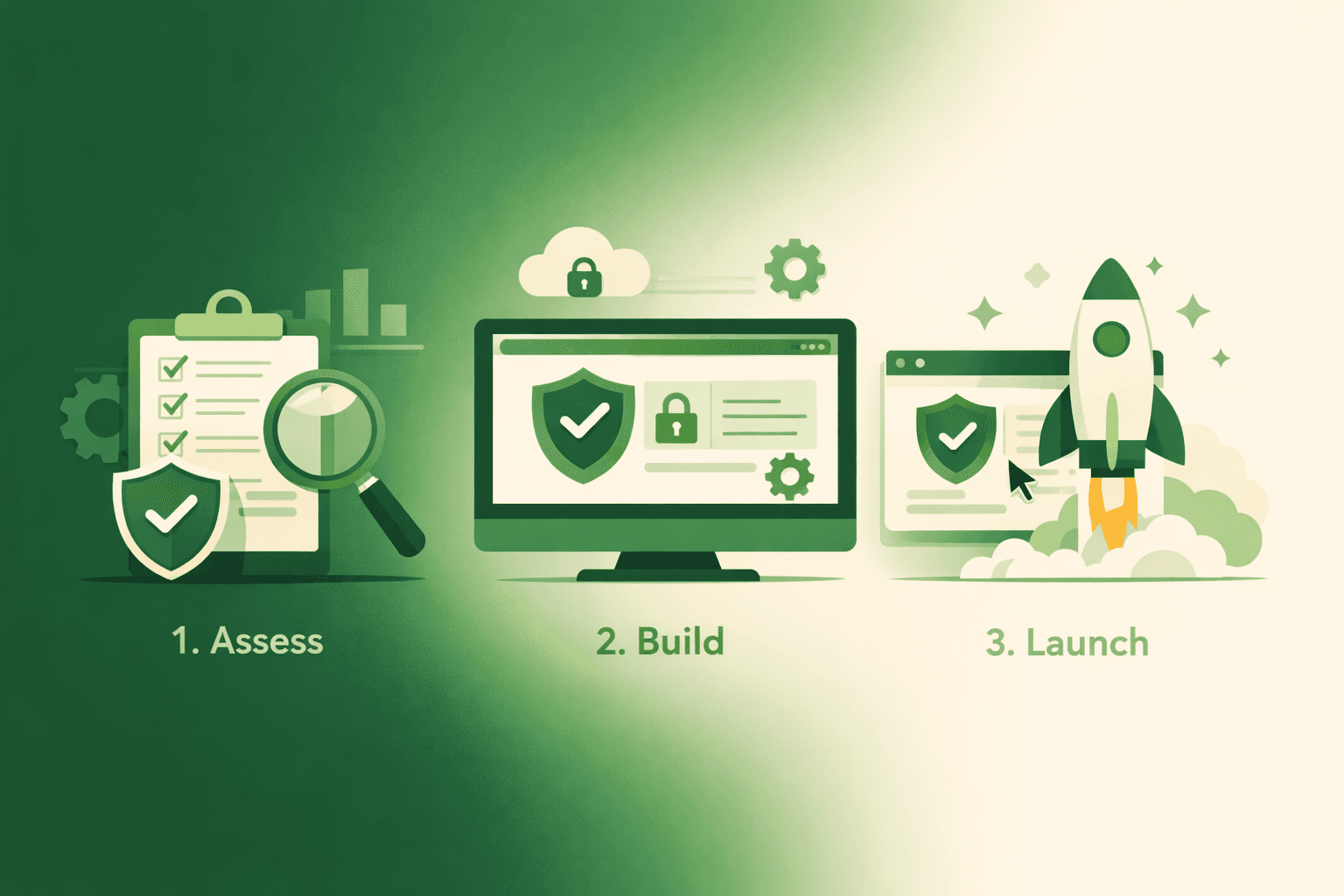
Build Your First Trust Center
You've decided you need a trust center. You know why it matters. You've probably read articles about companies crushing it with theirs. Now you're staring at a blank screen, thinking, "Where the hell do I actually start?"
Good news: building a functional trust center doesn't have to be complicated or time-consuming. You don't need a six-month project plan or a dedicated team. You need three clear steps, a few focused hours, and the willingness to launch something useful rather than perfect.
Step 1: Decide What to Share (And How to Share It)
This is where people get stuck. "If we share too much, are we creating security risks? If we share too little, does it even help?"
Here's a framework that works for most B2B companies:
Public Information (Anyone Can See)
Security Overview Write a 300-500-word overview of your security approach. Not a technical document. Think of it as the elevator pitch for your security program.
Template: "At [Company], security isn't just a checklist—it's fundamental to everything we build. Our approach focuses on [2-3 key principles]. We [specific practices you follow]. Our infrastructure is built on [cloud provider/approach], giving us [security benefits]. Every team member receives [security training], and we [how you stay current with threats]."
Don't agonize over making this perfect. Write it like you're explaining to a smart prospect who isn't a security expert.
Certification Status List what you have and what you're working toward. Be specific about dates.
"We achieved SOC 2 Type II compliance in March 2024. Our next audit is scheduled for March 2025. We're currently pursuing ISO 27001 certification with an audit planned for Q2 2025."
If you don't have formal certifications yet: "We're currently pursuing SOC 2 Type II certification, with our audit scheduled for [date]. In the meantime, we follow security best practices aligned with SOC 2 requirements."
High-Level Infrastructure Security: Describe your infrastructure approach without exposing technical details that could create vulnerabilities.
Good: "We host all data in AWS within SOC 2-compliant data centers. All data is encrypted at rest using AES-256 and in transit using TLS 1.3."
Too much detail: "Our production database runs on an m5.xlarge instance at 10.0.1.42 with these specific firewall rules..."
Contact Information: Make it dead simple for someone to ask questions. Email address, or even better, a contact form that routes to the right person on your team.
Gated Information (Requires Access Approval)
Detailed Audit Reports: Your full SOC 2 Type II report, ISO 27001 certificate, penetration test results—these should be behind some form of access control.
Why? Not because they're secret, but because they contain detailed information that benefits from context. Also, you want to know who's reviewing them (are they actual prospects or competitors doing research?).
Technical Documentation: Detailed architecture diagrams, specific control implementations, vulnerability management processes—keep these gated.
Industry-Specific Compliance Details If you're in healthcare or financial services, detailed compliance documentation for HIPAA or PCI DSS should probably be gated.
How to Handle Gated Access
You've got a few options here:
Option 1: Simple Access Request Form. Prospect fills out a form with name, email, company, and why they need access. Someone on your team reviews and approves within 24 hours. They get an email with access credentials or a unique link.
Option 2: Automated NDA Signing. Use a tool like DocuSign or PandaDoc. Prospect signs a standard NDA and immediately gets access to gated content. No manual approval needed.
Option 3: CRM Integration If someone's already in your sales pipeline, automatically grant access. This works if you're using your trust center primarily for active sales conversations.
Option 4: No Gating for Now Controversial take: if you're early-stage and don't have anything particularly sensitive, you might just make everything public. The transparency can be a competitive advantage. You can always add gating later.
Most companies start with Option 1 (simple form with manual approval) and evolve to Option 2 or 3 as volume increases.
Step 2: Organize Your Content
Now that you know what you're sharing, organize it in a way that matches how prospects actually think.
Don't organize by your internal structure. Organize by what prospects want to know.
Structure That Works
Homepage/Overview
Brief intro (2-3 sentences about your security commitment)
Quick links to main sections
Contact information prominently displayed
Last updated date (shows it's actively maintained)
Section 1: Security Approach
Your security overview
Key principles
How do you think about risk
Your security team structure (optional, but can build confidence)
Section 2: Certifications & Compliance
List of certifications you have (with dates and verification links)
Certifications you're pursuing (with expected completion dates)
Framework alignment (if you follow NIST, CIS, etc., even without formal certification)
Section 3: Infrastructure & Technical Controls
Where data is hosted
Encryption (at rest and in transit)
Access management approach
Monitoring and logging
Backup and disaster recovery
Network security
Section 4: Policies & Procedures
Links to or excerpts from key policies
Data processing agreement
Privacy policy
Incident response approach
Business continuity planning
Section 5: Reports & Documentation
Gated access to detailed reports
Penetration test summaries
Recent security improvements
Audit history
Section 6: FAQs
Answers to questions you get repeatedly
This section will grow over time as you track what people ask
Section 7: Contact
Who to reach for security questions
Who to reach for compliance questions
Process for requesting additional information
Writing Tips That Actually Help
Be clear, not clever. You're not writing marketing copy. You're answering questions. "We encrypt all data at rest using AES-256" is better than "Your data sleeps soundly in our fortified digital vault."
Use examples, not just statements. Instead of "We have robust access controls," say "Every employee uses hardware security keys for authentication. Access to production systems requires approval from two security team members. We review access permissions quarterly and revoke unused access automatically."
Avoid jargon when possible, explain it when not. If you need to use technical terms, add brief explanations. "We use end-to-end TLS encryption (the same technology banks use) for all data transmission."
Update dates matter. Every page should show when it was last updated. "Last updated: December 2025" builds confidence that this isn't stale.
Link to verification. If you claim SOC 2 compliance, link to where prospects can verify it independently. Transparency builds trust.
Step 3: Launch and Promote
You've got content. You've organized it. Now you need to actually get it out there and make sure people use it.
Platform Options
Option A: Use a Dedicated Trust Center Platform
DSALTA's free trust center is purpose-built for this. You can have something live in hours, not weeks. Key advantages:
Templates designed around how prospects think
Built-in access controls for gated content
Analytics showing what prospects actually look at
Integrates with compliance automation, so updates are automatic
No code required—security teams can manage it themselves
Other platforms like Vanta, SafeBase, or Drata also offer this, though most charge $15K-$30K+ annually.
Option B: Build It On Your Website
Create a dedicated section of your website (typically yourcompany.com/security or yourcompany.com/trust). Advantages:
Complete control over design and branding
No additional tool cost
Can customize exactly how you want
Disadvantages:
Requires development resources
You're responsible for access controls, analytics, and maintenance
Takes longer to launch (typically 2-4 weeks of dev time)
Option C: Use a Documentation Platform
Tools like Notion, GitBook, or Confluence can work for simple trust centers. Advantages:
Quick to set up
Easy to update
Your team probably already uses one
Disadvantages:
Not purpose-built for security content
Limited access control options
Doesn't look as professional as dedicated trust center platforms
My recommendation: Start with Option A (purpose-built platform) unless you have strong reasons not to. The time savings alone make it worth it, and you can always migrate later if needed.
Making It Live
Week 1: Setup and Content
Choose your platform
Upload your documents
Write your overview and section descriptions
Set up access controls for gated content
Get at least 3 people to review it for clarity
Week 2: Polish and Test
Make sure all links work
Test the access request flow (if you're gating content)
Ensure it looks good on mobile (most people will view it on phones during meetings)
Add analytics tracking so you can measure usage
Week 3: Soft Launch
Share internally first (entire company should know it exists)
Test with 2-3 friendly prospects and get feedback
Make adjustments based on their experience
Week 4: Full Launch and Promotion
Add a link to your website footer
Add to your main navigation (often under "Company" or "Resources")
Train your sales team on how to use it
Add to sales collateral and email signatures
Create a brief internal doc explaining what it is and when to share it
Training Your Sales Team
This is critical. Your trust center is useless if your sales team doesn't know how to leverage it.
15-minute training session (do this live, don't just send a doc):
Show them where it is - Literally open it and walk through the sections
Explain what's public vs. gated - So they know what prospects can see immediately
Give them the pitch - "When security comes up in a call, send them our trust center. It'll answer most of their questions immediately and show we're serious about security. If they need detailed reports, they can request access right there."
Show them the analytics - "We can see when prospects view it, which tells us they're serious about the evaluation."
Give them specific scripts:
"I'll send you a link to our trust center where you can review our certifications and security approach."
"Rather than me sending PDFs back and forth, check out our trust center—it has everything, including our SOC 2 repor.t"
"Our security team maintains a trust center specifically for prospects like you. Here's the link..."
Follow-up: Two weeks later, ask for feedback. What questions are they still getting? That's content you should add.
Promoting It Externally
On your website:
Footer link (every page)
Main navigation
Dedicated security page that links to it
Mention in relevant blog posts about security or compliance
In sales conversations:
Include a link in initial outreach emails
Add to pitch decks ("Learn more about our security at...")
Proactively share before prospects ask
In marketing materials:
Case studies mentioning security
Product documentation
Customer onboarding materials
Press releases about certifications
In proposals and RFPs:
Include the trust center link
Reference it when answering security questions: "For detailed information, see our trust center at..."
Don't be shy about this. You built it so prospects could find it. Make sure they actually do.
After Launch: The First 90 Days
Launching is just the beginning. The first three months determine whether your trust center becomes a valuable asset or digital shelfware.
Month 1: Track Everything
Set up analytics (most platforms have this built in):
How many people are visiting?
What sections are they viewing?
What documents are getting downloaded?
How long are they spending on each page?
Are people requesting access to gated content?
Track questionnaires:
How many security questionnaires did you receive this month?
Compared to the three months before you launched
You're looking for a decline (goal: 40-60% reduction in first month)
Get sales feedback:
Ask every AE: "Did you use the trust center this month?"
What response did you get from prospects?
What questions are they still asking that aren't covered?
Month 2: First Updates
Based on month 1 data:
Add missing content: If prospects are still asking the same questions, that content needs to be in your trust center. Write clear answers to the top 5-10 questions you're still getting.
Improve navigation: If analytics show people are bouncing quickly, your navigation might be confusing. Simplify it. Use clearer labels. Add a search function if your platform supports it.
Address technical issues: Broken links? Slow load times? Forms not working? Fix them immediately. Nothing undermines trust faster than a trust center that doesn't work properly.
Month 3: Prove ROI
By month 3, you should have enough data to show value. Prepare a simple report for leadership:
Metrics to include:
Questionnaire volume: Before [X], After [Y], Reduction [Z%]
Time savings: "Our security team saves approximately [X] hours per month on questionnaires."
Sales feedback: "[X%] of sales team reports trust center speeds up security reviews."
Adoption: "[X] prospects accessed the trust center this quarter."
Deal velocity: "Average time in security review decreased from [X] days to [Y] days."
What this unlocks: With this data, you can justify resources for improvements, upgrades to paid platforms if needed, or expanded security documentation efforts.
Real Company Example: The Entire Journey
Let me show you what this looked like for a real company (details changed slightly for privacy).
Company profile:
120 employees
B2B SaaS selling to mid-market
Had SOC 2 Type II, working toward ISO 27001
60-day average sales cycle
Security review was 10-15 days of that cycle
Pre-trust center pain:
The security team received 18 questionnaires per month
Each took 3-4 hours to complete
54-72 hours per month just on questionnaires
Sales complained about security delays
Lost at least two deals to competitors who moved faster
Week 1 (Setup):
Choose DSALTA's free platform
Gathered existing docs (SOC 2 report, policies, infrastructure overview)
Wrote 400-word security overview
Set up an access request form for the SOC 2 report
Total time invested: 6 hours
Week 2 (Polish):
Added FAQs based on common questions
Got feedback from 3 people (CTO, Head of CS, one AE)
Made navigation clearer
Tested access request flow
Total time: 3 hours
Week 3 (Internal launch):
All-hands announcement
20-minute training for the sales team
Added to website footer and navigation
Updated email signatures
Total time: 4 hours
Week 4 (Full launch):
Updated pitch decks to include the trust center link
Sent an email to existing prospects mentioning it
Created a simple one-pager for the sales team
Total time: 2 hours
Total implementation: 15 hours over 4 weeks
Results after 90 days:
Questionnaire volume: 18/month → 7/month (61% reduction)
Questions that remained were substantive, not basic
Time in security review: 12 days → 5 days average
Sales team is using it proactively with prospects
42 prospects accessed the trust center
Won 3 deals where prospects specifically mentioned the trust center helped
The security team reinvested the saved time into threat modeling
Results after 6 months:
Further reduction in questionnaires (now 4-5/month)
Added ISO 27001 cert to the trust center
73% of enterprise opportunities accessed it
Win rate for deals using the trust center: 34% higher than deals that didn't
Presented metrics to the board showing the trust center influenced $1.8M in closed revenue
Approved budget for enhanced features
The key insight: They didn't wait for perfection. They launched with what they had, tracked results, and continuously improved. That's the model that works.
Common Problems (And How to Fix Them)
You'll run into issues. Here's how to solve the most common ones:
Problem: Nobody's using it
Diagnosis: Check analytics. Are people visiting but not staying? Or not visiting at all?
If they're not visiting:
The sales team doesn't know about it or has forgotten
It's hard to find on your website
You're not promoting it in sales conversations
Fix: Re-train the sales team. Make it more prominent on your site. Add it to every proposal and pitch deck.
If they're visiting but bouncing:
Navigation is confusing
Content doesn't answer their questions
It's not mobile-friendly
Load times are slow
Ready to launch your trust center today? Get started with DSALTA's free platform—have something live in hours, not months. Or learn how continuous compliance automation keeps your trust center updated automatically. For more context on why this matters, read our Trust Center 101 guide.
Explore more GRC articles
Compliance Fundamentals for Startups
Audit Preparation & Management
Regulatory Compliance
Risk Management & Insurance
Data Protection & Privacy
Stop losing deals to compliance.
Get compliant. Keep building.
Join 100s of startups who got audit-ready in days, not months.