Top 10 Compliance Audit Findings for 2025 and Fixes Before Audits
Written by
Dogan Akbulut
Published on
Introduction: Why Compliance Audit Findings Cost More Than You Think
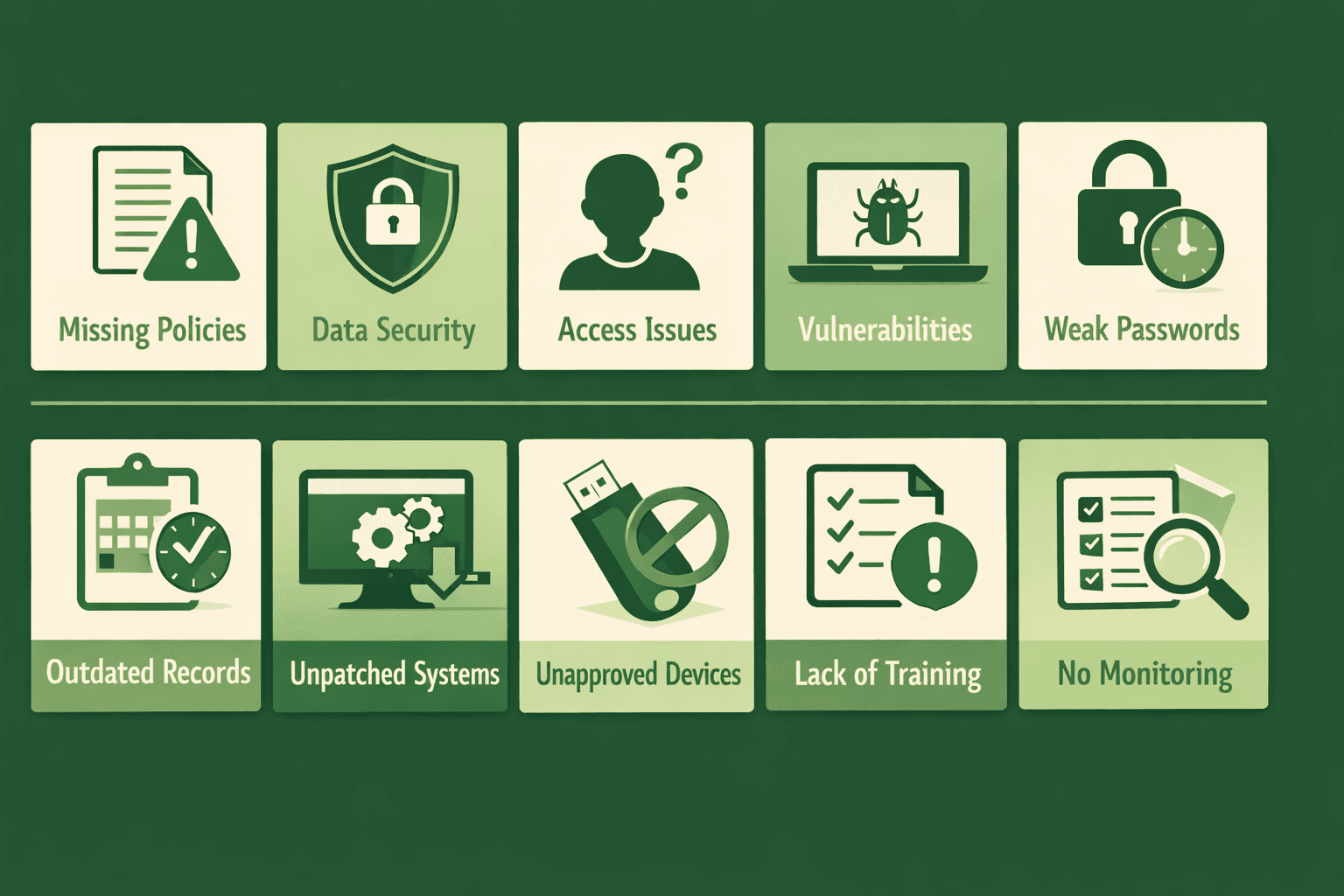
Every compliance audit reveals findings—gaps between what you're doing and what regulations require. In 2025, the average organization receives 8-12 findings during its first SOC 2, ISO 27001, or HIPAA audit. Some are minor observations that are easy to fix. Others are material weaknesses that can delay certification, raise customer concerns, or lead to failed audits.
The financial impact is significant. A failed audit costs between $50,000 and $200,000 when you factor in auditor fees, remediation work, re-audit expenses, and delayed revenue from waiting customers. Material weaknesses identified during SOC 2 audits can prevent the issuance of the report entirely, blocking enterprise deals for months.
The good news? Most audit findings are predictable and preventable. After analyzing hundreds of audits across SOC 2, ISO 27001, and HIPAA in 2025, clear patterns emerge. The same issues recur because organizations repeat the same mistakes during implementation.
The top 10 compliance audit findings auditors are discovering in 2025, explains why each one matters, and provides step-by-step remediation guidance. Whether you're preparing for SOC 2, ISO 27001, HIPAA, or another compliance framework, addressing these findings proactively will save you time, money, and stress.
Understanding Compliance Audit Findings: What Auditors Look For
Before diving into specific findings, it's essential to understand how auditors categorize issues and what triggers different severity levels.
Types of Audit Findings
Observations are minor issues that don't significantly impact control effectiveness. They're typically documentation gaps or inconsistencies that need correction, but don't prevent certification.
Deficiencies represent gaps in control design or implementation that could affect security but are mitigated by compensating controls or have a limited impact. These require remediation but usually don't block audit completion.
Material weaknesses are significant deficiencies in control design or operation that could result in data breaches, compliance failures, or other serious consequences. These often prevent reports from being issued until remediated.
Non-conformities in ISO 27001 audits indicate requirements that aren't met. Major non-conformities prevent certification, while minor ones require correction within defined timeframes.
What Triggers Audit Findings
Missing evidence is the most common trigger. You have good controls, but can't prove they operate consistently. Auditors work from evidence—if they don't see it, the power doesn't exist from their perspective.
Incomplete implementation occurs when controls are partially deployed. Maybe MFA works for some systems, but not all. Perhaps access reviews happen for some users but not contractors.
Inconsistent operation occurs when controls sometimes work but not always. Sporadic enforcement signals process problems that auditors flag as findings.
Documentation gaps can lead to findings even when actual security is strong. Outdated policies, missing procedures, or unclear responsibilities all trigger observations.
Finding #1: Incomplete or Outdated Risk Assessments
This is the single most common finding across SOC 2, ISO 27001, and HIPAA audits in 2025. Organizations complete initial risk assessments during implementation but fail to maintain them as living documents.
Why This Finding Occurs
Risk assessments get completed to satisfy auditors during initial certification, then sit untouched for months or years. Meanwhile, your environment changes—new cloud services are adopted, applications are launched, vendors are added, and infrastructure evolves. The risk assessment no longer reflects reality.
Auditors immediately notice when risk assessments list outdated systems, omit obvious current technologies such as AI tools or new SaaS platforms, or show no updates since the last audit. They question whether risk management is actually happening or just compliance theater.
How Auditors Discover This
Auditors compare your risk register against your current environment. They ask about systems mentioned in other documentation but not included in risk assessments. They check risk assessment dates and look for evidence of regular reviews.
During interviews, they ask "When did you last update your risk assessment?" and "How did you assess risks for this new system you launched in March?" If employees can't answer, findings get documented.
Complete Remediation Steps
Step 1: Schedule quarterly risk review meetings on your calendar with defined attendees from security, IT, and business leadership. Make these recurring meetings, not one-time events.
Step 2: Update your risk assessment methodology documentation to explicitly require quarterly reviews and interim assessments for significant changes, such as new systems, major infrastructure changes, or new vendor relationships.
Step 3: Review your current environment systematically. List all production systems, data repositories, cloud services, SaaS applications, and vendor integrations. Compare against your risk register and identify gaps.
Step 4: Conduct a comprehensive risk assessment update addressing all identified gaps. Document new risks, reassess existing risks based on current controls, and update treatment plans.
Step 5: Create a risk register maintenance procedure that defines triggers for interim assessments—such as new system deployments, significant architecture changes, security incidents, new regulatory requirements, or major vendor additions.
Step 6: Assign specific ownership for each risk category. Someone from infrastructure owns technology risks. HR owns people-related risks. Leadership owns business risks.
Step 7: Document your quarterly risk review meetings with minutes that include what was reviewed, what changed, who attended, and the decisions made. This creates the audit trail auditors need.
Finding #2: Missing or Inadequate Access Reviews
Access reviews that don't happen, happen inconsistently, or lack proper documentation represent the second most common finding. Auditors expect regular verification that user access remains appropriate.
Why This Finding Occurs
Access reviews are tedious and time-consuming when done manually. Security teams request spreadsheets from system owners, chase down responses, and struggle to track completion. The process often stalls, is delayed, or is inconsistent across different systems.
Many organizations review employee access but forget contractors, vendors, service accounts, or API keys. Others conduct reviews but don't document the process, making it impossible to prove completion during audits.
How Auditors Discover This
Auditors request access review documentation for the audit period. They look for evidence covering all systems, all user types, regular frequency, documented approvals, and remediation of inappropriate access.
They sample user accounts and ask, "When was this access last reviewed?" They check whether terminated employees still have active accounts. They verify service accounts have documented business justification.
Complete Remediation Steps
Step 1: Define your access review scope clearly. Identify every system requiring reviews—production environments, administrative tools, cloud platforms, SaaS applications, databases, and network equipment.
Step 2: Establish review frequency based on risk. High-risk systems need quarterly reviews. Medium-risk systems can be reviewed semi-annually. Lower-risk systems may only require annual reviews.
Step 3: Create a standardized access review template that captures the username, system, role, access level, business justification, reviewer name, review date, and approval status.
Step 4: Assign system owners responsible for reviewing access to their specific systems. Document ownership should be clearly defined so accountability is unambiguous.
Step 5: Implement a tracking mechanism that shows which systems were reviewed, when the reviews occurred, who conducted them, and what changes resulted. A simple spreadsheet works if maintained consistently.
Step 6: Conduct immediate catch-up reviews for any systems missing recent reviews. Document these catch-up activities to show you've addressed the gap.
Step 7: Establish remediation procedures for inappropriate access discovered during reviews. Define timelines for access removal—typically 24-48 hours for high-risk systems.
Step 8: Automate where possible using identity governance tools that streamline reviews, track approvals, and document the entire process. Read more on Achieving Access Controls.
Finding #3: Inadequate Vendor Risk Management
Vendor risk management findings increased 40% in 2025 as organizations adopted more SaaS tools and cloud services. Auditors find missing vendor assessments, a lack of ongoing monitoring, and inadequate Business Associate Agreements.
Why This Finding Occurs
Vendor security assessments happen during procurement but rarely include ongoing monitoring. Security teams don't know when vendor SOC 2 reports expire, when to request updates, or how to track vendor security posture over time.
Business units adopt new tools without involving security, creating shadow IT that bypasses vendor assessment processes entirely. By audit time, dozens of vendors have PHI, customer data, or system access without documented security reviews.
How Auditors Discover This
Auditors review vendor inventories and cross-reference them against expense reports, application integrations, and data flow diagrams. They identify vendors not included in your documented inventory.
They request vendor security documentation, including SOC 2 reports, security questionnaires, and penetration test results. When documentation is missing or outdated, findings get documented.
During HIPAA audits, they verify that Business Associate Agreements exist for every vendor that handles PHI. Missing BAAs create automatic findings, often classified as material weaknesses.
Complete Remediation Steps
Step 1: Create a comprehensive vendor inventory listing of every third-party service with data access, system connectivity, or business-criticality. Include SaaS applications, cloud platforms, payment processors, and professional services firms.
Step 2: Classify vendors by risk level using consistent criteria. Consider data sensitivity, access level, business criticality, and inherent vendor risk. Create tiers like Critical, High, Medium, and Low.
Step 3: Define assessment requirements for each risk tier. Critical vendors need annual SOC 2 reports, security questionnaires, and potentially onsite assessments. Lower-risk vendors may only need basic security questionnaires.
Step 4: Conduct initial assessments for all vendors lacking recent security documentation. Request SOC 2 reports, complete security questionnaires, or collect alternative evidence, such as ISO 27001 certificates.
Step 5: Establish review schedules based on risk classification. Critical vendors should be reassessed annually. Medium-risk vendors every two years. Track review dates and set calendar reminders.
Step 6: For HIPAA compliance, review every vendor relationship involving PHI. Verify signed Business Associate Agreements exist. Execute BAAs for any vendors that lack them, or find alternative vendors.
Step 7: Implement a vendor onboarding process requiring a security assessment before procurement approval. Integrate security review into your procurement workflow.
Step 8: Create vendor risk documentation standards defining what evidence to collect, where to store it, and how long to retain it.
Finding #4: Insufficient Security Awareness Training
Training programs that occur only once during onboarding, without annual refreshers, lead to frequent findings. Auditors expect ongoing security awareness training with documented completion tracking.
Why This Finding Occurs
Organizations provide basic security training during employee onboarding, then never conduct refresher training. Regulations like HIPAA explicitly require annual security awareness training, but enforcement is inconsistent.
Training programs often lack documentation showing who completed training, when it occurred, and what topics were covered. Even when training happens, the inability to prove completion results in findings.
How Auditors Discover This
Auditors request training records for all employees during the audit period. They verify that training includes the required topics, is held annually, covers new hires, and is open to all workforce members.
They sample employees hired or promoted during the audit period and verify they received appropriate training. Missing records for even a few employees trigger findings.
During interviews, they ask employees about security policies and procedures. If employees can't answer basic questions about incident reporting, acceptable use, or data handling, auditors question the effectiveness of training.
Complete Remediation Steps
Step 1: Establish an annual security awareness training requirement for all employees, contractors, and relevant third parties with system access.
Step 2: Create or acquire training content covering essential security topics—password security, phishing recognition, incident reporting, acceptable use, data handling, physical security, and clean desk policies.
Step 3: For HIPAA organizations, ensure training specifically covers Privacy Rule requirements, Security Rule obligations, breach reporting procedures, and proper PHI handling.
Step 4: Implement a learning management system or training platform that automatically tracks completion. Manual tracking becomes unmaintainable as organizations grow.
Step 5: Conduct immediate training for all employees who have not documented completion within the past 12 months. Track completion meticulously.
Step 6: Add security awareness training to your onboarding checklist to ensure new hires complete it within their first week.
Step 7: Establish a training documentation standard that captures the employee's name, training date, covered topics, completion status, and, if applicable, quiz scores.
Step 8: Create quarterly reminders for ongoing security topics such as phishing awareness, password hygiene, and emerging threats. Brief reminders between annual training reinforce awareness.
Step 9: Document your training program with a policy that defines the frequency, required topics, audience, delivery method, and record retention.
Finding #5: Lack of Formal Incident Response Testing
Organizations have incident response plans documented, but never test them through tabletop exercises or simulations. When auditors request evidence of testing, none exists.
Why This Finding Occurs
Incident response plans get created to satisfy compliance requirement,s but sit on shelves unused. Teams assume they'll figure things out during actual incidents, without realizing untested plans rarely work under pressure.
Conducting tabletop exercises requires coordination, preparation, and time—resources always in short supply. Testing gets perpetually postponed in favor of "more urgent" priorities.
How Auditors Discover This
Auditors request evidence of incident response testing conducted during the audit period. They look for documentation of tabletop exercises, simulation records, or proof of tests.
They ask during interviews, "When did you last test your incident response plan?" and "Can you walk me through a recent test?" Inability to provide specifics creates findings.
For organizations that experienced actual security incidents, auditors compare the response against documented procedures. Deviations signal that documented procedures aren't actually followed.
Complete Remediation Steps
Step 1: Schedule an incident response tabletop exercise within the next 30 days. Put it on calendars with key stakeholders—security team, IT leadership, communications, legal, and executive sponsor.
Step 2: Develop a realistic scenario for your tabletop exercise. Consider scenarios relevant to your environment—ransomware attack, data breach, vendor compromise, insider threat, or system failure.
Step 3: Create exercise documentation capturing the scenario, participants, date, duration, decisions made, response actions discussed, and gaps identified.
Step 4: Conduct the tabletop exercise by walking through the scenario step by step. How would we detect this? Who would we notify? What containment actions would we take? When would we notify customers?
Step 5: Document lessons learned, identifying gaps in procedures, unclear responsibilities, missing contact information, or needed improvements.
Step 6: Update your incident response plan based on lessons learned. Address identified gaps and improve procedures.
Step 7: Establish a recurring schedule for incident response testing—annually at minimum, semi-annually for high-risk environments.
Step 8: Create templates for tabletop exercises to make future tests easier to conduct. Include scenario templates, participant lists, and documentation formats.
Step 9: Consider testing specific components between full tabletops—communication tree testing, backup restoration, and disaster recovery procedures.
Finding #6: Missing or Incomplete Change Management Evidence
Change management processes exist but lack consistent documentation showing approvals, testing, and deployment verification. Auditors can't confirm changes follow documented procedures.
Why This Finding Occurs
Development teams make changes quickly with modern CI/CD pipelines, but documentation is inconsistent. Pull requests get approved hastily without thorough review. Deployments occur without capturing evidence.
Change management becomes particularly problematic for emergency changes, hotfixes, or off-hours deployments that bypass everyday approval workflows.
How Auditors Discover This
Auditors sample production changes from the audit period and request documentation showing approval, testing, and deployment verification.
They review pull requests, change tickets, or deployment records, looking for consistent approval patterns, documented testing, and separation of duties between developers and approvers.
They specifically examine emergency changes and hotfixes to verify post-implementation reviews occurred even when pre-approval was bypassed.
Complete Remediation Steps
Step 1: Review your current change management process to identify where documentation gaps occur. Common gaps include missing approvals, insufficient testing evidence, or lacking rollback plans.
Step 2: Standardize your change-approval workflow within existing tools. GitHub, GitLab, Jira, or ServiceNow can all enforce approval requirements before changes proceed.
Step 3: Define approval requirements clearly. Specify who can approve different change types, how many approvals are needed, and whether approvers must be independent of developers.
Step 4: Implement automated evidence collection wherever possible. Configure tools to capture approvals, require testing confirmation, and automatically document deployment details.
Step 5: Create an emergency change procedure that allows urgent changes and documents post-implementation review requirements.
Step 6: Establish a standard change documentation template that captures the change description, business justification, risk assessment, testing performed, approver names, deployment date, and verification results.
Step 7: Conduct a retrospective documentation effort on recent changes that lack proper evidence. Reconstruct what you can and ensure future changes include complete documentation.
Step 8: Implement deployment checklists to ensure all required documentation is captured before changes are marked complete.
Finding #7: Inadequate Backup Testing and Verification
Backup systems run regularly, but organizations can't prove backups are actually restorable. Auditors need evidence that backup testing occurs and succeeds.
Why This Finding Occurs
Backup jobs run automatically, and teams assume backups work without verification. Testing backup restoration requires time, effort, and potentially service disruption.
Many organizations have never attempted to restore from backups, discovering only during actual disasters that backups are corrupted, incomplete, or unusable.
How Auditors Discover This
Auditors request backup testing documentation for the audit period. They look for evidence showing actual restoration tests, not just backup job success logs.
They ask about recovery time objectives and recovery point objectives, then verify testing confirms you can actually achieve stated RTOs and RPOs.
Complete Remediation Steps
Step 1: Schedule quarterly backup restoration tests on your calendar. Different systems can be tested on rotating schedules.
Step 2: Select test targets representing different backup types—databases, file systems, application configurations, and complete system images.
Step 3: Conduct actual restoration tests in non-production environments. Verify data integrity, completeness, and usability after restoration.
Step 4: Document each test, capturing what was tested, test date, restoration time achieved, data validation results, issues encountered, and remediation actions.
Step 5: Verify backup coverage is complete. Ensure all critical systems and data are included in the backup scope.
Step 6: Test different recovery scenarios—single-file restoration, database point-in-time recovery, complete system rebuild, and disaster-recovery site activation.
Step 7: Establish success criteria defining what constitutes successful backup testing. Typically includes restoration completion, data integrity verification, and achievement of RTO/RPO.
Step 8: Create a backup testing schedule that shows which systems are tested when, who performs the tests, and where results are documented.
Finding #8: Incomplete Logging and Monitoring Coverage
Security logging is enabled for some systems but not all. Monitoring exists, but doesn't cover the complete infrastructure. Auditors find significant blind spots in detection capabilities.
Why This Finding Occurs
Organizations implement monitoring for obvious targets such as production servers and databases, but often miss developer tools, administrative systems, cloud platforms, and SaaS applications.
Log aggregation and SIEM deployment happen incrementally, with some systems integrated and others on the "eventually" list. By audit time, coverage remains incomplete.
How Auditors Discover This
Auditors review your system inventory and compare it against the logs being collected. They identify systems handling sensitive data without logging enabled.
They verify log retention meets requirements—typically 90 days minimum, often longer for compliance frameworks. Short retention periods create findings.
They check whether logs are actually monitored or just collected. Unreviewed logs don't meet detection requirements.
Complete Remediation Steps
Step 1: Create a comprehensive inventory of all systems requiring logging—production servers, databases, cloud platforms, network devices, authentication systems, and security tools.
Step 2: Define logging requirements for each system type. Specify what events must be logged—authentication, authorization, data access, administrative actions, and configuration changes.
Step 3: Audit current logging configurations against requirements. Identify systems with logging disabled, insufficient detail, or improper retention.
Step 4: Enable and configure logging for all identified gaps. Ensure logs capture required events with sufficient detail for investigation.
Step 5: Implement centralized log aggregation by feeding all logs into a SIEM or log management platform. Centralization enables retention and monitoring.
Step 6: Configure log retention to meet regulatory requirements. SOC 2 typically requires a minimum of 90 days. ISO 27001 and HIPAA often recommend more extended retention periods.
Step 7: Establish log monitoring procedures defining how logs are reviewed, what triggers alerts, who responds, and escalation procedures.
Step 8: Create evidence of monitoring activity through alert documentation, investigation records, or regular log review reports.
Step 9: Test logging completeness by triggering test events and verifying they appear in logs with the required detail.
Finding #9: Missing Internal Audit Activities
ISO 27001 explicitly requires internal audits, and even organizations pursuing other frameworks benefit from them. Many organizations skip this requirement entirely.
Why This Finding Occurs
Internal audits seem redundant when external audits are coming. Organizations view them as bureaucratic exercises rather than valuable control verification.
Conducting internal audits requires qualified auditors, time, and effort. Without clear ownership, internal audits never happen.
How Auditors Discover This
ISO 27001 auditors directly request internal audit reports. Missing reports create immediate non-conformities, preventing certification.
Other audits may reference internal audit findings when evaluating the effectiveness of the management system. The absence of internal audits suggests gaps in management oversight.
Complete Remediation Steps
Step 1: Assign responsibility for managing the internal audit program. Larger organizations may have dedicated internal audit functions. Smaller organizations can assign to security or compliance teams.
Step 2: Develop an internal audit schedule covering all ISMS components over 12 months. Not everything needs an annual audit—rotate focus areas.
Step 3: Create internal audit checklists based on your compliance framework. ISO 27001 has specific requirements. SOC 2 and HIPAA can use relevant control criteria.
Step 4: Conduct your first internal audit within the next 60 days. Focus on high-risk areas or controls that haven't been validated recently.
Step 5: Document audit findings, including observations, deficiencies, and recommendations. Be thorough—internal audits should identify issues before external auditors do.
Step 6: Establish corrective action processes for internal audit findings. Assign ownership, set deadlines, track completion, and verify effectiveness.
Step 7: Present internal audit results to management. For ISO 27001, this feeds into required management reviews.
Step 8: Qualify internal auditors through training on audit techniques, relevant standards, and your specific environment. Independence from audited areas is essential.
Finding #10: Inadequate Management Review Documentation
Management reviews occur informally but lack documentation of leadership's evaluation of the security program's effectiveness. Auditors need evidence of management engagement.
Why This Finding Occurs
Security updates occur during executive meetings, but formal management reviews with required agenda items and documented outcomes don't.
Organizations conflate status updates with management reviews. Actual management reviews evaluate program effectiveness, resource adequacy, and strategic alignment.
How Auditors Discover This
ISO 27001 auditors specifically request minutes from management review meetings. Required agenda items include audit results, performance objectives, risk assessment status, and improvement opportunities.
Other frameworks may verify management oversight through interviews or governance documentation. Inability to demonstrate regular management engagement leads to findings.
Complete Remediation Steps
Step 1: Schedule formal management review meetings quarterly or semi-annually, depending on organizational size and risk profile.
Step 2: Create a management review agenda template covering the following topics: internal audit results, external audit findings, security metrics, risk assessment updates, incident summary, resource needs, and improvement initiatives.
Step 3: Conduct your first formal management review within 30 days. Even if some agenda items lack complete data, establish the process.
Step 4: Document management review meetings with formal minutes capturing attendees, topics discussed, data presented, decisions made, and action items assigned.
Step 5: Include the appropriate executives to ensure decision-making authority exists. Management reviews should include leadership who can approve resources and strategic changes.
Step 6: Present objective data, including security metrics, control effectiveness measurements, incident statistics, and audit findings, rather than just subjective updates.
Step 7: Track management review decisions and action items to completion. Document follow-through demonstrating that reviews drive actual improvements.
Step 8: Store the documentation for the store management review in your compliance repository alongside other audit evidence.
Proactive Remediation: Getting Ahead of Audit Findings
The most successful organizations don't wait for auditors to discover problems. They proactively identify and remediate gaps before official audits begin.
Conduct Pre-Audit Readiness Assessments
Three months before your scheduled audit, conduct your own readiness assessment using the same criteria auditors will apply. Review all controls, examine evidence, and identify gaps.
Hire external consultants to conduct mock audits and provide an objective evaluation. They identify issues you're too close to see and provide remediation guidance.
Establish Continuous Evidence Collection
Don't scramble for evidence when audits approach. Implement systematic evidence collection throughout the year.
Automate evidence capture wherever possible. Screenshots, configuration exports, and automated reports reduce manual work while improving evidence quality.
Create evidence-collection checklists for each control that specify what evidence to collect, the collection frequency, and the storage location.
Implement Quarterly Control Testing
Test your own controls quarterly rather than waiting for annual audits. Sampling access reviews, testing incident response, verifying backup restoration, and reviewing change management builds confidence in controls.
Document quarterly testing results. When auditors arrive, you demonstrate control effectiveness over time rather than scrambling for evidence.
Maintain Compliance Documentation Standards
Establish documentation standards that define the required content, format, retention periods, and storage locations for all compliance evidence.
Use version control for policies and procedures. Track changes, maintain approval records, and retain historical versions.
Create centralized compliance repositories that organize evidence logically. When auditors request documentation, you provide it immediately rather than searching through email and shared drives.
Conclusion: Turning Audit Findings Into Compliance Excellence
Audit findings are inevitable, especially during initial certifications. The difference between struggling organizations and successful ones isn't avoiding findings—it's how quickly and thoroughly they address them.
The top 10 findings revealed in this guide represent the most common compliance gaps in 2025. By addressing them proactively before auditors arrive, you transform potential weaknesses into demonstrated strengths.
Start with the findings most relevant to your compliance framework. SOC 2 audits particularly focus on access reviews, vendor management, and change control. ISO 27001 audits emphasize risk assessments, internal audits, and management reviews. HIPAA audits prioritize training, BAAs, and risk analysis.
Implement systematic processes rather than one-time fixes. Quarterly access reviews beat scrambling before audits. Continuous risk assessment updates trump annual fire drills. Regular training surpasses compliance checkbox exercises.
Modern compliance platforms significantly reduce audit finding risks by automating evidence collection, maintaining centralized documentation, tracking control effectiveness, and identifying gaps before audits. What traditionally required manual tracking across spreadsheets and folders now happens automatically with real-time visibility.
Ready to Eliminate Predictable Audit Findings?
Stop paying fines and dealing with delayed contracts. Book a free DSALTA demo today to see how our platform automates the evidence collection, tracks remediation, and manages the documentation required to eliminate the top 10 audit findings across SOC 2, ISO 27001, and HIPAA.
Explore more GRC articles
Compliance Fundamentals for Startups
Audit Preparation & Management
Regulatory Compliance
Risk Management & Insurance
Data Protection & Privacy
Stop losing deals to compliance.
Get compliant. Keep building.
Join 100s of startups who got audit-ready in days, not months.